

一起来看一下成品:
准备工具
准备工具
midjourney https://www.midjourney.com/imagine
倘若不知道模型怎么使用,可以参考这个教程(https://www.super-i.cn/info-2796.html),与本教程一起使用
第一步:准备梦核图片提示词
首先准备一段梦核校园模板提示词。
这段提示词主要确定画面的整体风格,包括第一人称平视视角、浅青绿色积水、温暖晨光、水纹反射、轻微薄雾、无人校园,以及安静怀旧的氛围。
有了模板之后,不需要每次重新写提示词,只需要把它交给大语言模型(豆包/Gemini/ChatGPT),让它帮我们更换场景。
可以这样输入(下划线部分的场景可以自由更改):
immersive dreamcore school classroom, first-person standing view, eye-level perspective, a bright modern classroom flooded with extremely clear pale aqua water with a slight seafoam-green tint, water level high enough to submerge most desk legs and lower seats, transparent water revealing the floor texture beneath, warm morning sunlight entering through tall windows, cream-white sheer curtains drifting softly, off-white walls, dark chalkboard at the far end, scattered worksheets and exam papers drifting naturally on the water, layered caustics, subtle rainbow glints, delicate haze, quiet nostalgic surreal mood, open composition, no people, no city buildings outside, only bright sky and faint trees --chaos 8 --ar 9:16 --raw --stylize 170 --hd 这是一段提示词模板,依据这个校园模板,帮我想一下多个校园场景的梦核提示词,主要的风格不要变,只需要变场景
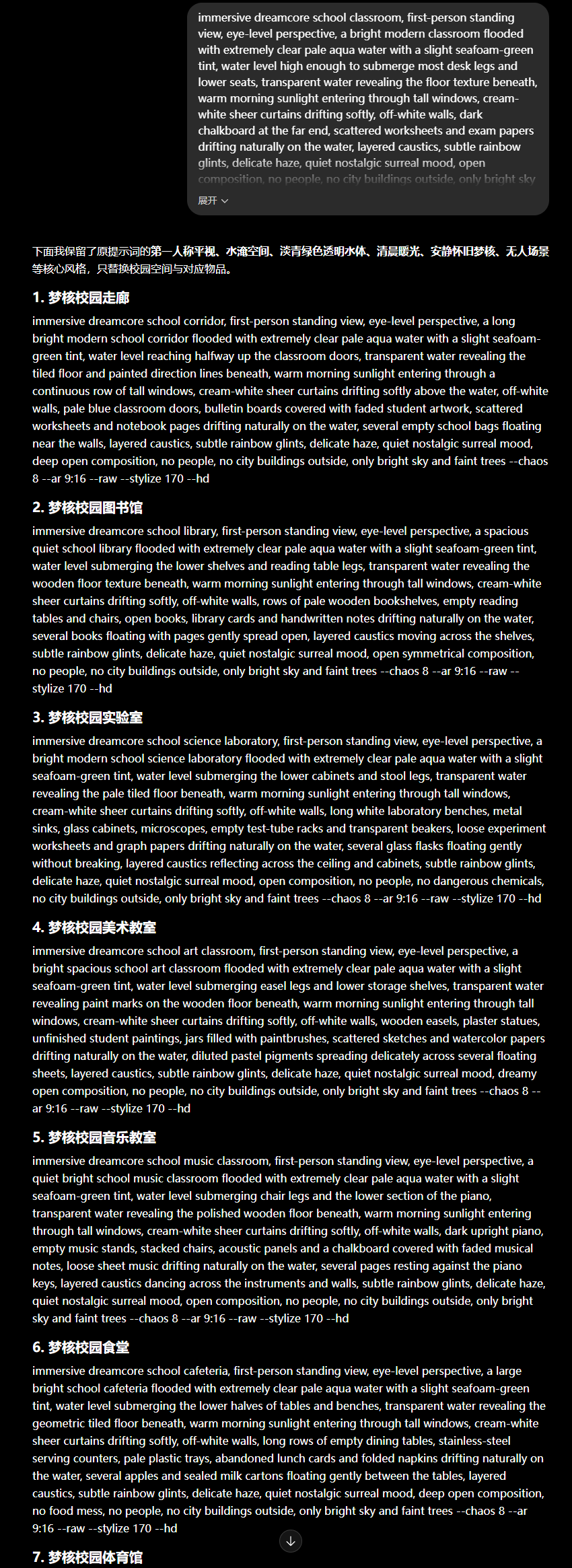
这样就可以得到多个梦核图片提示词(大家不用复制我的提示词,可以自己去推导,我的提示词不一定好)。
1. 梦核校园走廊
immersive dreamcore school corridor, first-person standing view, eye-level perspective, a long bright modern school corridor flooded with extremely clear pale aqua water with a slight seafoam-green tint, water level reaching halfway up the classroom doors, transparent water revealing the tiled floor and painted direction lines beneath, warm morning sunlight entering through a continuous row of tall windows, cream-white sheer curtains drifting softly above the water, off-white walls, pale blue classroom doors, bulletin boards covered with faded student artwork, scattered worksheets and notebook pages drifting naturally on the water, several empty school bags floating near the walls, layered caustics, subtle rainbow glints, delicate haze, quiet nostalgic surreal mood, deep open composition, no people, no city buildings outside, only bright sky and faint trees --chaos 8 --ar 9:16 --raw --stylize 170 --hd
2. 梦核校园图书馆
immersive dreamcore school library, first-person standing view, eye-level perspective, a spacious quiet school library flooded with extremely clear pale aqua water with a slight seafoam-green tint, water level submerging the lower shelves and reading table legs, transparent water revealing the wooden floor texture beneath, warm morning sunlight entering through tall windows, cream-white sheer curtains drifting softly, off-white walls, rows of pale wooden bookshelves, empty reading tables and chairs, open books, library cards and handwritten notes drifting naturally on the water, several books floating with pages gently spread open, layered caustics moving across the shelves, subtle rainbow glints, delicate haze, quiet nostalgic surreal mood, open symmetrical composition, no people, no city buildings outside, only bright sky and faint trees --chaos 8 --ar 9:16 --raw --stylize 170 --hd
4. 梦核校园美术教室
immersive dreamcore school art classroom, first-person standing view, eye-level perspective, a bright spacious school art classroom flooded with extremely clear pale aqua water with a slight seafoam-green tint, water level submerging easel legs and lower storage shelves, transparent water revealing paint marks on the wooden floor beneath, warm morning sunlight entering through tall windows, cream-white sheer curtains drifting softly, off-white walls, wooden easels, plaster statues, unfinished student paintings, jars filled with paintbrushes, scattered sketches and watercolor papers drifting naturally on the water, diluted pastel pigments spreading delicately across several floating sheets, layered caustics, subtle rainbow glints, delicate haze, quiet nostalgic surreal mood, dreamy open composition, no people, no city buildings outside, only bright sky and faint trees --chaos 8 --ar 9:16 --raw --stylize 170 --hd
5. 梦核校园音乐教室
immersive dreamcore school music classroom, first-person standing view, eye-level perspective, a quiet bright school music classroom flooded with extremely clear pale aqua water with a slight seafoam-green tint, water level submerging chair legs and the lower section of the piano, transparent water revealing the polished wooden floor beneath, warm morning sunlight entering through tall windows, cream-white sheer curtains drifting softly, off-white walls, dark upright piano, empty music stands, stacked chairs, acoustic panels and a chalkboard covered with faded musical notes, loose sheet music drifting naturally on the water, several pages resting against the piano keys, layered caustics dancing across the instruments and walls, subtle rainbow glints, delicate haze, quiet nostalgic surreal mood, open composition, no people, no city buildings outside, only bright sky and faint trees --chaos 8 --ar 9:16 --raw --stylize 170 --hd
第二步:使用 Midjourney 生成图片
提示词修改完成后,直接放进 Midjourney 生成图片(最好用midjourney网页版生成)。
记得选择v8.1模型,并且调整合适的画面比例
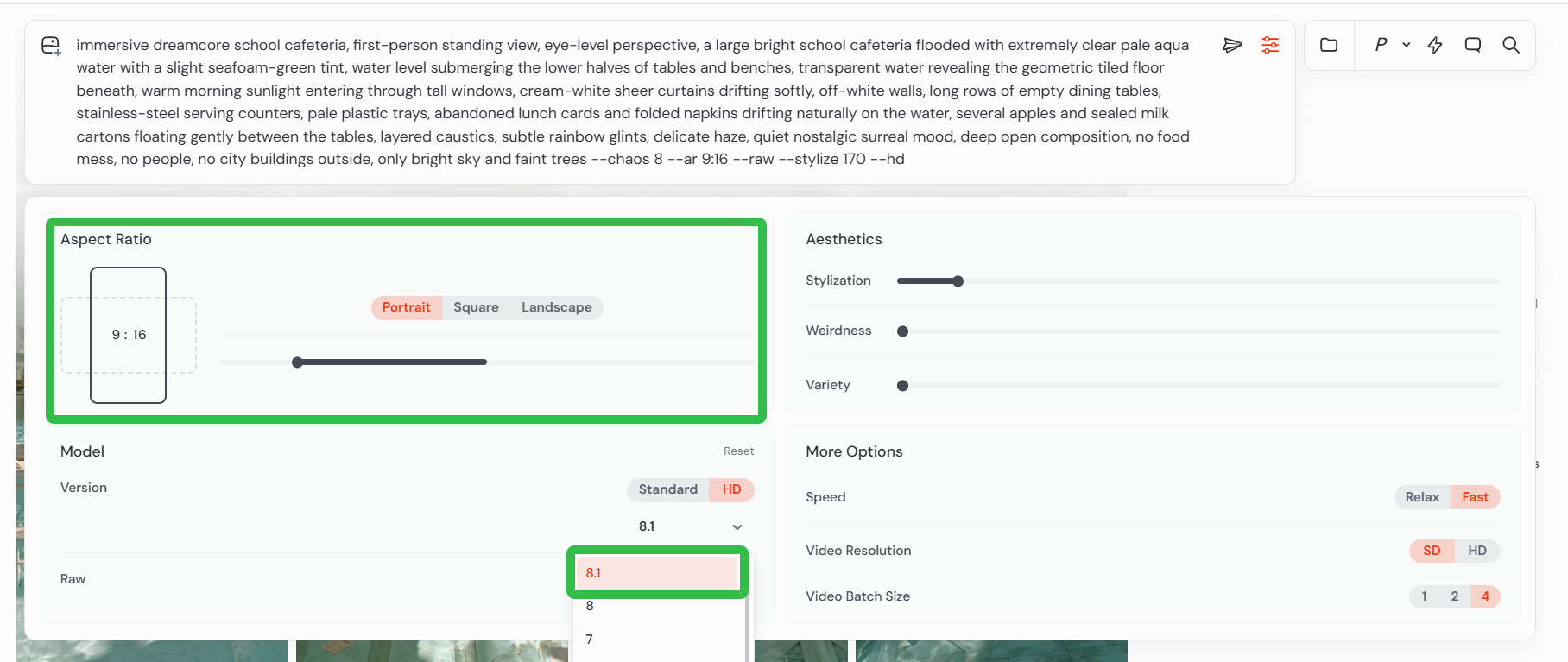
设置完成后点击生成
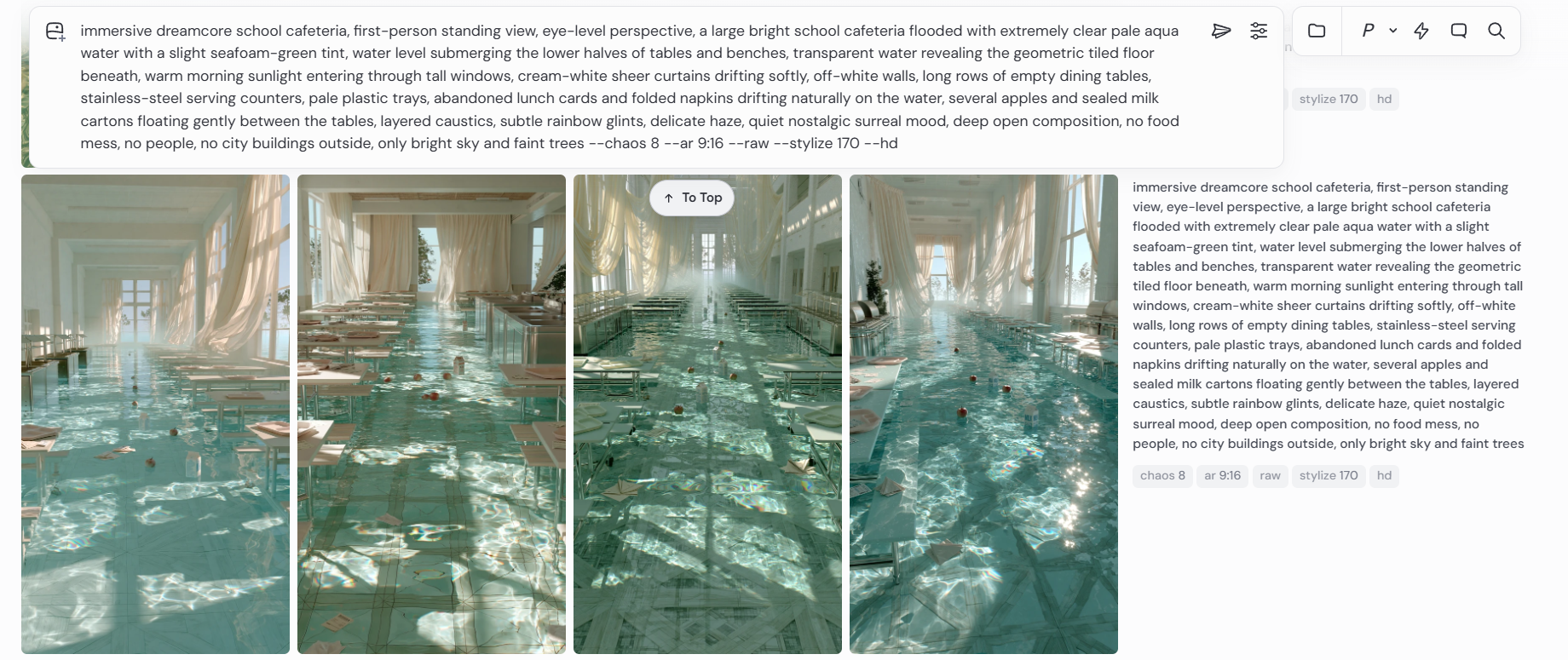
第三步:使用可灵 3.0 生成视频
生成完图片之后,将它导入可灵 3.0,使用图生视频功能。
输入视频提示词:
第一人称手持视角,镜头像人的眼睛一样在被水淹没的房间里艰难前进,水深到小腿到膝盖之间,走路非常不方便。每一步都很慢,脚在水下拖动,水的阻力让身体左右轻微失衡,镜头出现真实的走路晃动、停顿、轻微喘息感和不稳定感。镜头偶尔向下看,能看到自己的腿和脚踩进清水里,裤脚被打湿,脚步推开漂浮的照片、纸张、花瓣和碎花枝,水波一层层扩散,漂浮物随着水流前后摇摆、缓慢旋转。房间明亮但空无一人,阳光穿过大窗户落在水面上,产生大量彩虹色焦散反光,波光在墙壁和家具上不停闪烁。水面近距离占满前景,细小涟漪、反射、折射和水花都非常真实,画面有梦核般的安静、迷离、柔雾、浅景深和电影感。 负面提示词
不要无人机视角,不要平滑滑轨运镜,不要快速推进,不要上帝视角,不要干净无波纹的静态水面,不要人物站在画面中央,不要多人,不要灾难片氛围,不要脏水,不要黑暗恐怖,不要夸张海浪,不要漂浮物静止不动,不要水面像玻璃一样完全不动,不要过度锐化,不要卡通感,不要CG塑料感。
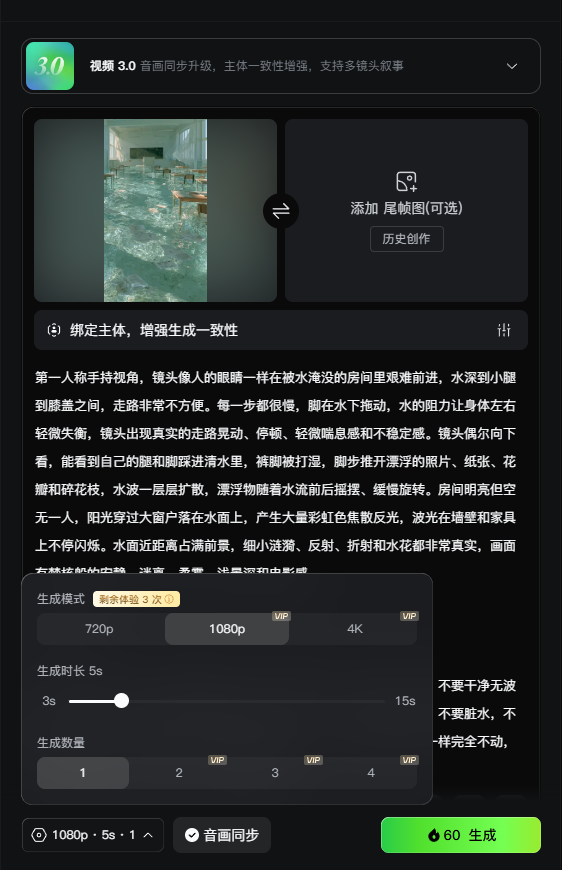
每张图片生成4s-6s即可。
可以准备三到五个校园场景,再把它们剪成一条十五秒左右的视频。镜头顺序可以从走廊开始,再进入教室、图书馆或美术教室,形成不断走入校园记忆的感觉。
第四步:在剪映中调整氛围
视频生成完成后,将片段导入剪映。(我生成了5段视频)
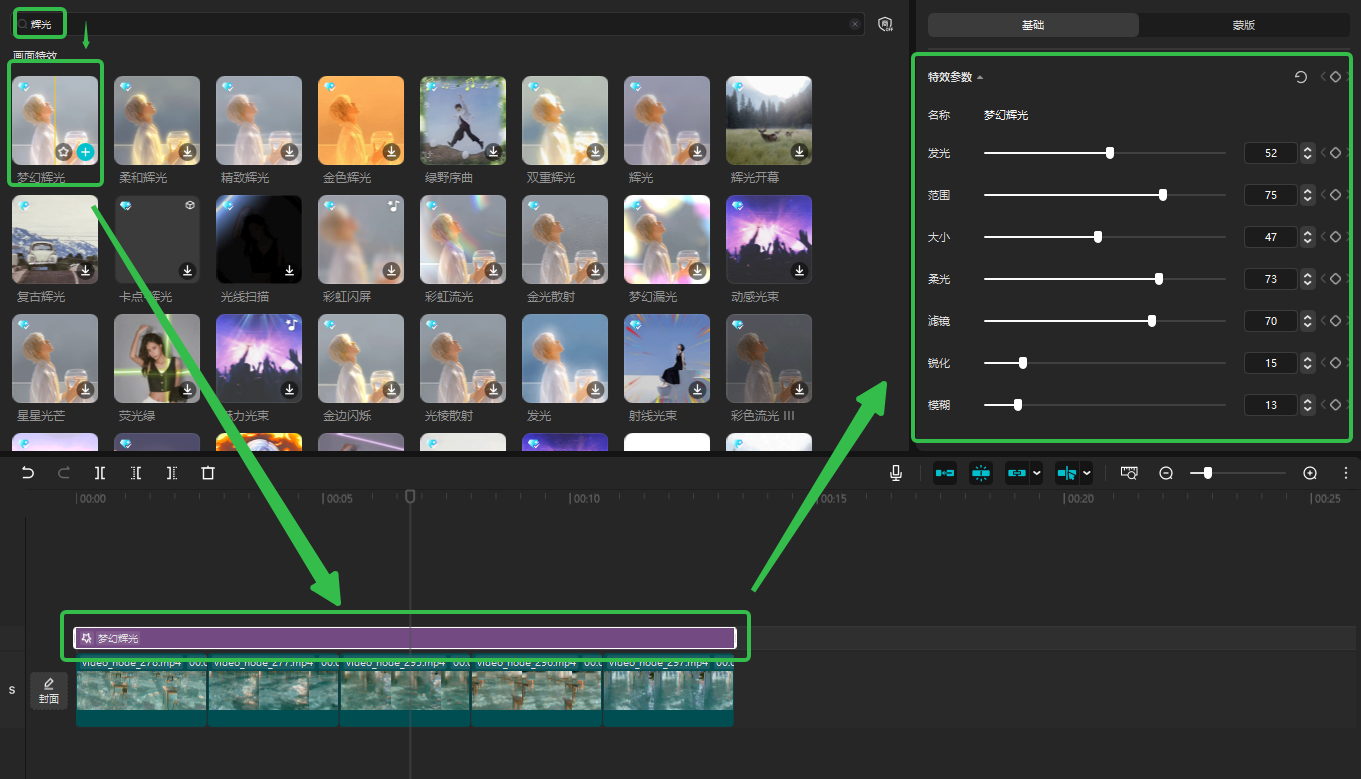
然后添加梦幻辉光效果
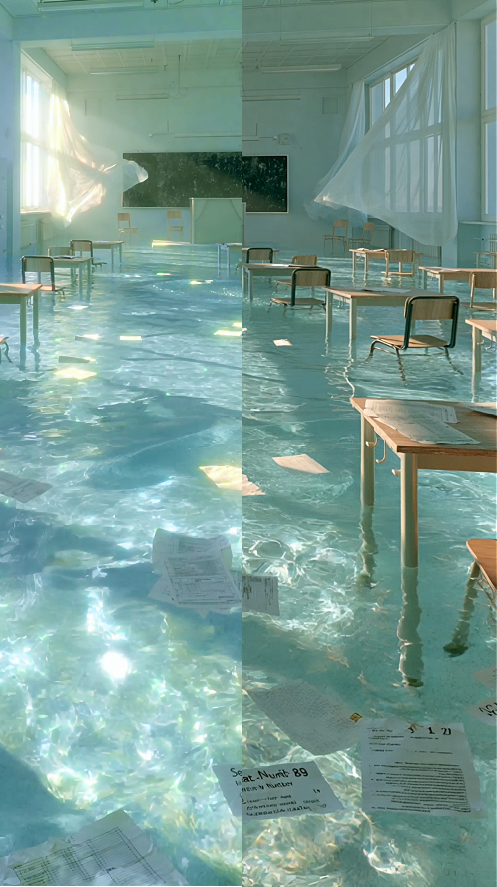
添加滤镜的前后区别
最后导出视频
视频生成执行卡
把这节课压缩成一张可执行卡片:看重点、照步骤、避坑,再复制模板直接开做。
这节课不是先追求炫技成片,而是围绕「一张图做出梦核校园:Midjourney × 可灵 O3 完整流程」先把主体、动作、镜头和节奏稳住。
按原文节奏走最稳:先吃透「准备工具」,再把「第一步:准备梦核图片提示词」定住,接着处理「第二步:使用 Midjourney 生成图片」;最后用「第三步:使用可灵 3.0 生成视频」收口。
- 先把「准备工具」里的主体和动作定死。
- 把「第一步:准备梦核图片提示词」整理成可复制版本,后面直接复用。
- 做完「第二步:使用 Midjourney 生成图片」后,先查连贯性和穿帮。
- 先把「第三步:使用可灵 3.0 生成视频」里的主体和动作定死。
- 这一段重点看镜头和节奏,别急着炫技。
- 做完「梦核校园走廊」后,先查连贯性和穿帮。
不要一上来就生成最终片;先拆镜头、定主体和运动,再逐段生成,否则容易跳轴、穿帮、节奏混乱。
检查主体是否稳定;镜头运动是否明确;前后画面是否连贯;节奏是否服务主题;是否有明显变形或穿帮。
请围绕「一张图做出梦核校园:Midjourney × 可灵 O3 完整流程」帮我做一个可直接执行的方案。
我的目标是:【填写你的具体目标】
我的素材/产品/角色信息是:【填写已有素材和限制】

请输出:核心创意、分镜表、每个镜头的画面描述、视频生成提示词、剪辑顺序和成片自检清单。要求主体稳定、动作明确、镜头连贯。